
Grammarly's AI Humanizer: What It Does, What It Misses, and Alternatives
If you only need cleanup, Grammarly is a solid pick. If you need help with drafting, sources, and citations, it is not enough.
I’d sum it up like this:
- Grammarly works best for grammar, tone, and final edits , though they are also useful for overcoming writer's block
- Yomu AI is stronger for essays, research drafts, and citation-heavy work
- QuillBot is mostly for paraphrasing and sentence rewrites
- Wordtune is best for light sentence-level editing
- Price varies a lot, from about $4.17/month to $30/month
- No tool here replaces your own fact-checking, source checks, or course policy review
For academic writing, the main test is not just whether text sounds more human. It is whether your draft still holds up on originality, tone, structure, and citation accuracy. That is where these tools start to separate.
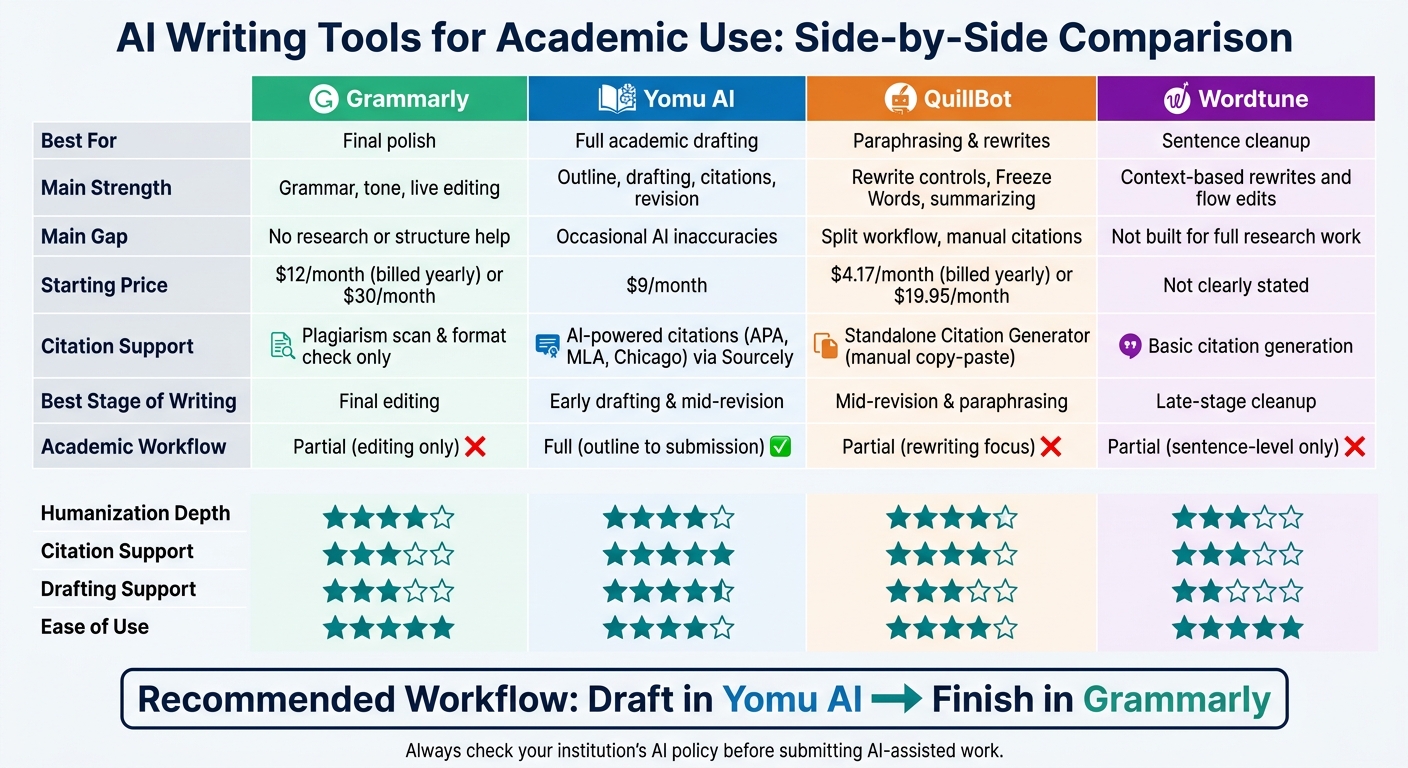
AI Writing Tools Compared: Grammarly vs Yomu AI vs QuillBot vs Wordtune
Grammarly vs. Logically: Which Is the Best AI Research Tool for Academic Writing?
sbb-itb-1831901
Quick Comparison
| Tool | Best For | Main Strength | Main Gap | Starting Price |
|---|---|---|---|---|
| Grammarly | Final polish | Grammar, tone, live editing | Little help with research or paper structure | $12/month billed yearly |
| Yomu AI | Full academic drafting | Outline, drafting, citations, revision in one place | AI suggestions can still be off | $9/month |
| QuillBot | Paraphrasing | Rewrite controls, Freeze Words, summarizing | Split workflow and manual citation handling | $4.17/month billed yearly |
| Wordtune | Sentence cleanup | Context-based rewrites and flow edits | Not built for full research work | Not clearly stated here |
My takeaway: Grammarly helps most at the end of the writing process. Yomu AI helps more at the start and middle. QuillBot and Wordtune sit in between, with a stronger focus on rewriting than full paper support.
If you are choosing one tool for school writing, match it to the stage of your draft - not just to the promise of “human sounding” text.
1. Grammarly AI Humanizer
Humanization Depth
Grammarly is best at polishing text, not reshaping it from the ground up.
It uses context-aware rewrites to smooth out stiff wording without changing the writer’s intent. That can help reduce template-like phrasing. But there’s a tradeoff: it can also flatten a person’s own voice.
Academic Writing Support
For academic work, Grammarly focuses on editing text you already have. It also explains many of its suggestions, which helps students see the rule behind the edit. Its Tone Detection feature can nudge drafts toward formal, confident, or friendly prose, which fits essays, admissions writing, and reports.
It becomes more useful in school settings when a draft also needs cleanup and formatting help.
Citation and Originality Tools
Grammarly includes plagiarism scanning and citation-format checks for final review, but it does not find sources for you. You still need to do the research yourself. So it works well for last-pass checks, but not for source discovery or building an evidence base.
Use-Case Fit
| Use Case | How Grammarly Helps | Where It Falls Short |
|---|---|---|
| Essays | Smooths grammar and tone | Can over-standardize personal voice |
| Research Drafts | Flags plagiarism and citation issues | No source retrieval or literature support |
| Admissions Writing | Improves confidence and formality | Limited help with structure or argument development |
| General Editing | Gives real-time edits in common writing apps | Limited document-level revision |
Premium starts at $12/month when billed annually, or $30/month month to month, and includes advanced style checks, tone detection, and plagiarism scanning. The free tier covers basic grammar, spelling, and conciseness checks.
Its main strength is cleanup, not deeper academic drafting. For writers who need more than that, the next section looks at AI writing aids built for heavier revision work.
2. Yomu AI
Yomu AI is built for academic writing. It helps with outlining, drafting, revision, and citations in one place. That matters because academic work usually isn't just about fixing tone. It's about moving from a rough idea to a finished paper without jumping between tools.
Humanization Depth
Yomu's Academic Tone Humanizer includes five presets: Scholarly, Formal, Clear, Graduate, and Undergraduate. It also gives you three context settings: Essay, Research, and Discussion.
In practice, that means you can adjust the writing based on the kind of paper you're working on. The tool smooths out phrasing without changing your core claims or stripping out citation placeholders. Yomu also shows a side-by-side "Original vs. Rewritten" preview, so you can check the edits before you accept them.
Academic Writing Support
One of Yomu's biggest strengths is that it keeps the whole writing process inside one editor. You can generate a thesis, build an outline, use AI essay generator tools to keep the draft moving, and run an Essay Grader that gives feedback on clarity, thesis strength, evidence, and flow.
That setup becomes even more useful on longer academic projects. Instead of bouncing between tabs, you can upload PDFs, chat with them, and build literature review outlines in the same workspace.
Citation and Originality Tools
Yomu stands out most when you're dealing with sources inside an active draft. It includes an AI-powered citation tool that works with Sourcely to find and format references in APA, MLA, and Chicago styles. It also offers a "Paraphrase cited sources" mode, which rewrites literature review sections while keeping citations and key terms in place.
There is one catch: its plagiarism checker can miss AI-generated text. So if you're turning in classwork, it's smart to double-check originality yourself. You should also verify facts, quotes, and references before submission.
Use-Case Fit
| Use Case | How Yomu Helps | Where It Falls Short |
|---|---|---|
| Essays | Thesis Generator, Essay Outline, Essay Grader | Limited functionality in the free version |
| Research Drafts | PDF chat, literature review outlines, Sourcely citations | Occasional inaccuracies in AI suggestions |
| Literature Review Editing | Paraphrase cited sources mode with 11 rewrite styles | Plagiarism checker may miss AI-generated content |
| Professional Emails to Professors | Tone presets and sentence rewriter | Occasional inaccuracies in AI suggestions |
Plans start at $9/month for Starter. Higher tiers add unlimited AI actions, in-text citations, and access to frontier models like GPT-4o and Claude 3.5 Sonnet.
3. QuillBot
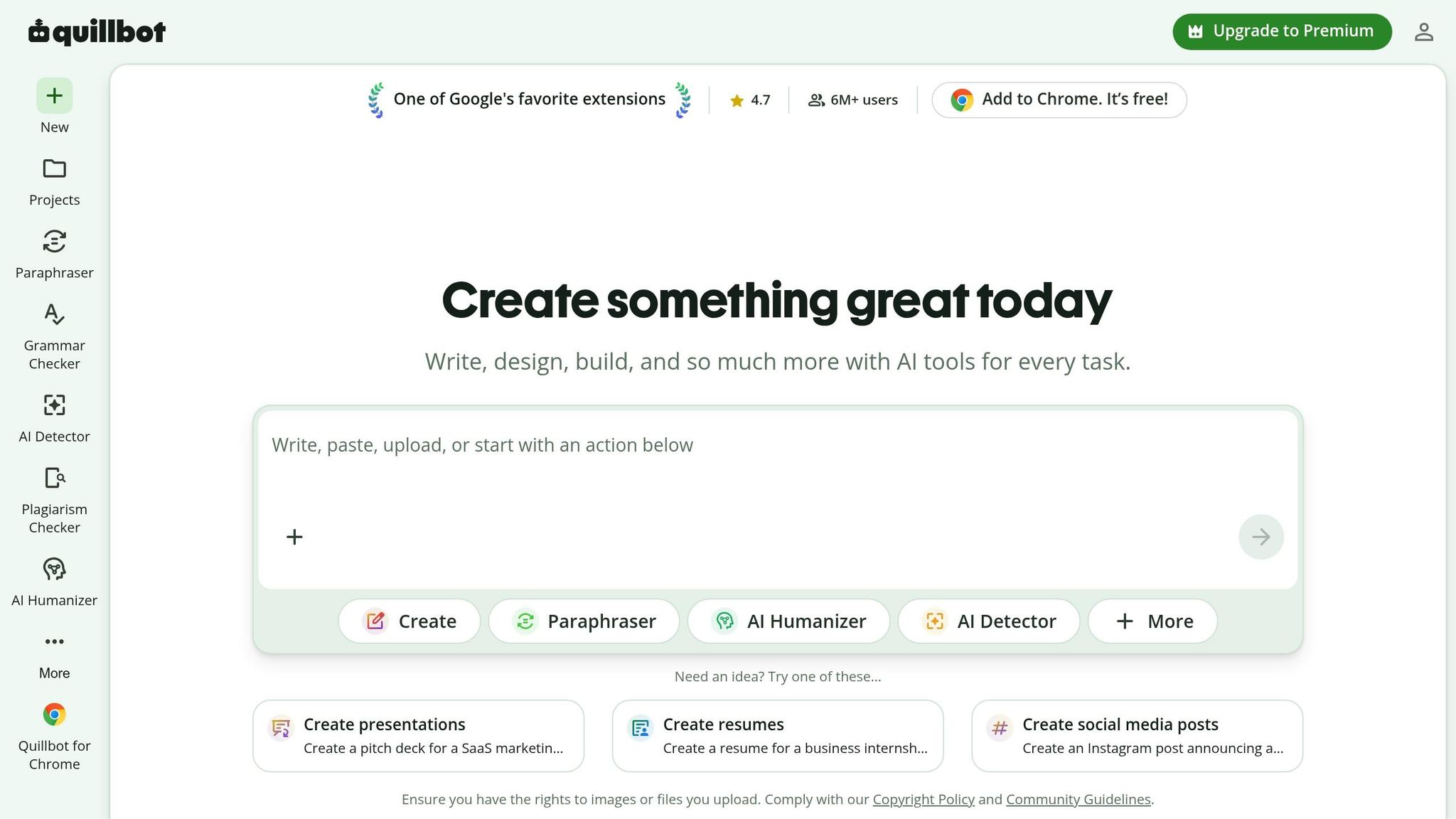
QuillBot is a rewrite-first tool. It cleans up text you already have, but its role in academic writing is pretty limited. It helps with surface-level revision, not argument building, source use, or thesis development. So yes, it can help polish a draft. But it’s not the kind of tool you’d lean on to build a paper from the ground up.
Humanization Depth
QuillBot’s AI Humanizer smooths out robotic phrasing and gives you control over how far the rewrite goes. It comes with 9+ paraphrasing modes, including Standard, Fluency, Formal, and Creative, plus a synonym slider so you can fine-tune the wording.
One feature that stands out for academic use is "Freeze Words." It lets you lock technical terms or proper nouns so the tool doesn’t swap them out for the wrong synonym. That’s a big deal when you’re writing in a field where word choice has to stay precise.
Academic Writing Support
QuillBot is built to refine text, not generate it. It does include a "Flow/Docs" workspace for AI essay generation, but the academic workflow still feels split up. In practice, you paraphrase in one place, check grammar in another, generate citations separately, and then piece the draft back together yourself.
For longer work, like a thesis or research paper, that back-and-forth can get annoying fast. It doesn’t stop you from finishing the work, but it does slow the process down.
Citation and Originality Tools
QuillBot’s Citation Generator sits outside the editor, so you have to copy citations into the draft by hand. That extra step isn’t a dealbreaker, but it does make the workflow less smooth.
The plagiarism checker for researchers is Premium-only and capped at 20 pages or 25,000 words per month. If you’re working on a long research paper and want to run multiple checks, that cap can feel tight.
Use-Case Fit
| Use Case | How QuillBot Helps | Where It Falls Short |
|---|---|---|
| Essays | Paraphrasing modes, AI Humanizer, grammar checker | No integrated drafting or research workflow |
| Research Drafts | Summarizer (up to 6,000 words on Premium), Freeze Words | Tools remain separate instead of being tied to the draft |
| Literature Review Editing | 9+ rewrite modes, synonym control | Requires manual copy-paste for citations |
| Citations | Standalone Citation Generator | Requires manual copy-paste |
Premium costs $4.17/month on the annual plan or $19.95/month month to month. If you want tighter control over rewrites and tone, the next section looks at a more flexible option.
4. Wordtune

Wordtune is a rewriting assistant that works best when you already have text on the page. It’s built more for polishing and revision than for drafting a full academic paper from scratch. That makes it handy when you need a quick cleanup, but less suited to the full research and writing process.
Humanization Depth
Wordtune rewrites sentences by looking at surrounding context, purpose, and tone so the output sounds more natural. In practice, it does its best work at the sentence level, where small wording changes can make a draft read more smoothly.
Academic Writing Support
Wordtune can summarize information, generate citations, and reorganize drafts for clearer flow. That’s useful during revision, especially if a paper feels messy or repetitive.
Still, there’s a limit here. It can help tidy a draft, but it doesn’t handle the full research workflow. Citation generation can save time, but it doesn’t fix originality issues or guarantee scholarly rigor on its own. Put simply, Wordtune helps clean things up; it doesn’t build the paper for you.
Use-Case Fit
| Use Case | How Wordtune Helps |
|---|---|
| Essays | Sentence rewrites, tone adjustment, draft restructuring |
| Research Drafts | Summarization, citation generation, content reorganization |
| Formal Academic Writing | Sentence-level refinement and real-time feedback |
That makes Wordtune a solid match for light, sentence-level cleanup. It’s useful when you want to tighten wording fast, but there are still gaps if you need full-document academic revision.
Pros, Cons, and Best Fit by Academic Use Case
Each tool fits a different kind of school writing. The hard part is matching the tool to the job in front of you - whether that’s a routine essay, a long research draft, or a personal statement that has to sound unmistakably like you.
The table below boils the comparison down to what each tool does well, where it falls short, and when it makes the most sense to use it. It looks at four areas: naturalness, originality, tone control, and citation support.
| Tool | Pros | Cons | Best Fit |
|---|---|---|---|
| Grammarly | Edits existing text rather than generating new content; strong grammar and tone detection | Can over-standardize voice; no citation management; limited structural help | Polishing essays and admissions statements where preserving voice matters |
| Yomu AI | Structured academic workflows; citation integration; academic tone presets | Less flexible for non-academic tasks; occasional suggestion inaccuracies | Longer academic drafts with citations and structured revision |
| QuillBot | Useful for paraphrasing and summarizing source passages | Can sound unnatural if overused | Rewording cited sources and summarizing literature |
| Wordtune | Best for quick sentence-level revision | Not built for full research workflows | Quick cleanup for near-finished drafts |
The pattern is pretty simple: some tools help you polish wording, while others do a better job with full academic workflows. Using an AI writing assistant can also help bridge the gap between research and the first draft.
For essays and admissions writing, Grammarly is the better pick when your main goal is keeping your own voice and avoiding stiff, formulaic phrasing. It tends to refine what’s already there instead of replacing it wholesale.
For research drafts and literature-based writing, Yomu AI makes more sense for longer academic documents, especially when citation support and structured revision matter most.
Always check course policy before submitting any AI-assisted draft.
Conclusion
The best pick depends on the job in front of you. It mostly comes down to where you are in the writing process.
Grammarly is strongest at the final cleanup stage. It helps polish awkward phrasing, keeps your tone steady, and holds onto your voice. Yomu AI is a better fit earlier on, when you're drafting or revising and need built-in structure, citations, and paraphrasing in one place.
A simple workflow makes a lot of sense: draft in Yomu AI, then finish in Grammarly.
Before you submit anything, check your institution's AI policy. Rules can change by course, instructor, and department. Pick the tool that fits the stage of your draft.
FAQs
Can Grammarly humanize AI text well enough for schoolwork?
Grammarly can help with schoolwork by polishing what you’ve already written. It’s good at fixing grammar, improving clarity, tightening word choice, and smoothing out tone. That makes it handy when you want a draft to read better and sound more natural.
What it doesn’t do is just as important. It won’t handle research for you, build your argument, shape your structure, or promise academic accuracy. And sometimes it can slip in generic phrasing or small mistakes. So you still need to check your facts, review your citations, and edit the draft with care.
When should I use Grammarly instead of a drafting tool?
Use Grammarly after you finish your draft and want to polish it. It works well for proofreading, grammar fixes, clarity, and tone tweaks.
It’s best for surface-level edits like:
- Spelling
- Punctuation
- Awkward phrasing
It’s not the right tool for generating content, brainstorming, or research.
Think of it as a cleanup pass, not a writing partner. You stay in control of the ideas, and Grammarly helps make the writing more correct and easier to read.
How much do citations and plagiarism checks really help?
Citations and plagiarism checks matter because they protect academic integrity and strengthen credibility.
Plagiarism checkers can flag possible originality problems before you submit. Citation tools help catch common reference mistakes by pulling in and formatting real sources.
Humanizing tools may help the writing sound more natural. But they don’t verify references. Using both gives you writing that feels human, stays original, and holds up to academic standards.