
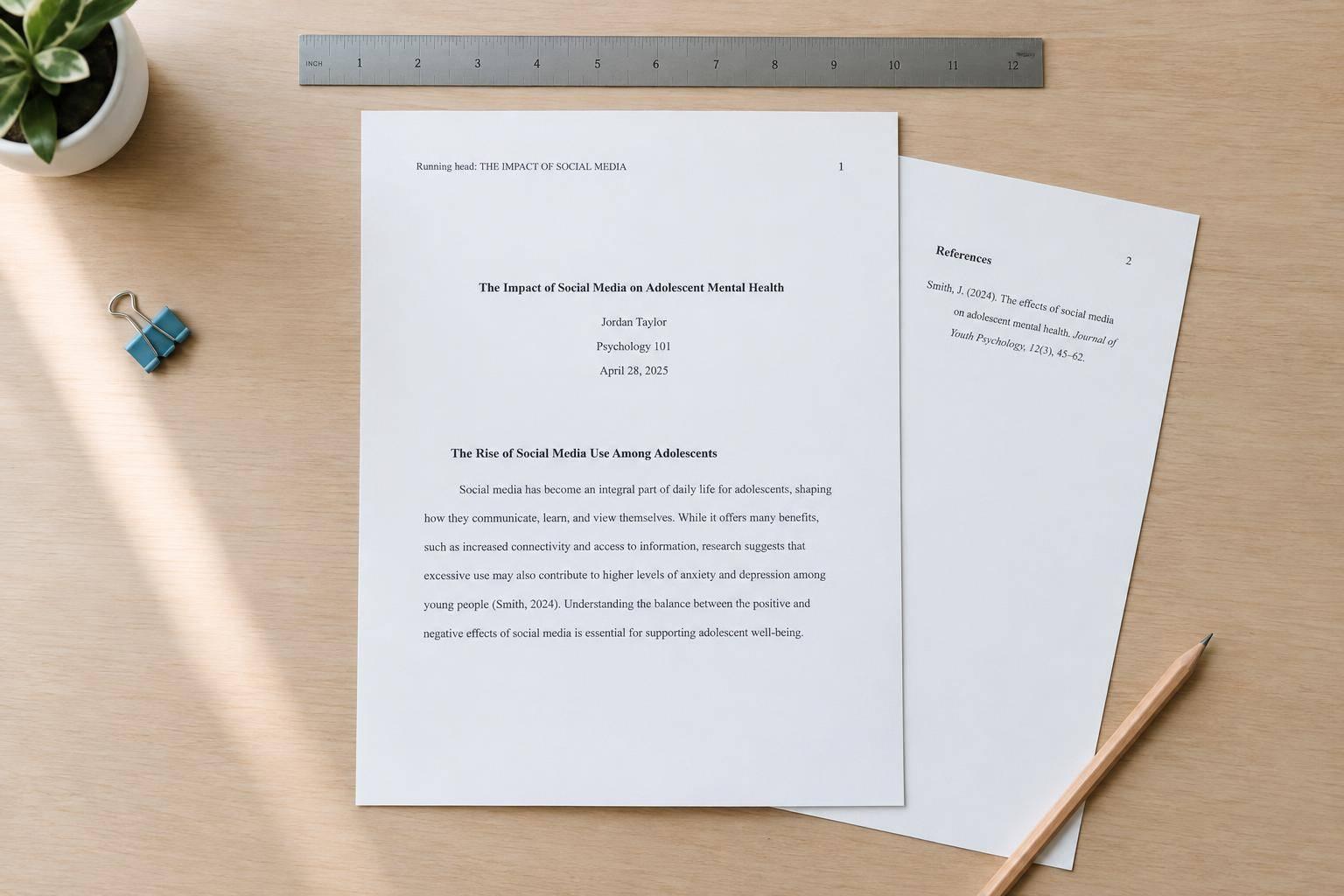
How to Write a Research Paper in APA Format: Step by Step With a Template
To write an APA 7 student research paper, start with 1-inch margins, double spacing, and page numbers - then organize your draft and cite your sources. I’ll walk you through the setup and provide a template you can copy.
Here’s what I’ll cover:
- Page setup: Format your title page and add an abstract only if assigned.
- Main text: Organize a study or literature-based paper and use APA heading levels.
- Sources: Add author–date citations, format quotations, and build your reference list.
- Final checks: Replace template prompts, verify sources and any AI-assisted work, and check your instructor’s rules.
My starting rule: <u>check your assignment before formatting</u>. Your instructor’s directions take priority over general APA student-paper guidance.
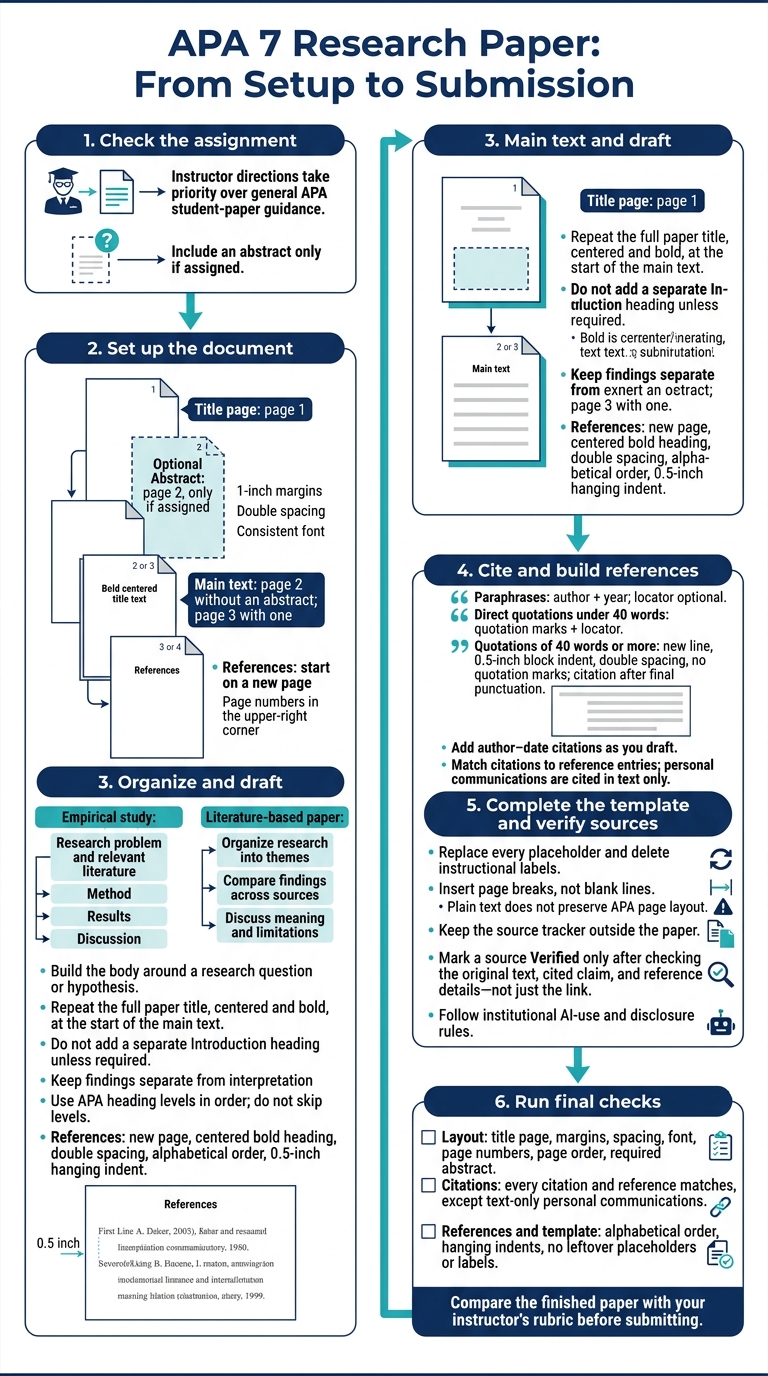
APA 7 Research Paper: From Setup to Submission
APA 7th Edition Beginners Guide | Free PDF Download
sbb-itb-1831901
Step 2: Organize and Draft the Main Text
Once your page setup is complete, build the body around your research question or hypothesis. Start with what readers need to know, then present the evidence that addresses your question and explain how it supports your answer.
At the top of page 2 - or the page after your abstract, if assigned - repeat your full paper title, centered and bold. This serves as the introduction’s Level 1 heading. Don’t add a separate Introduction heading unless your instructor requires one.
Write the Research Sections
For an empirical study, begin with the research problem, connect findings from relevant literature, and state your hypothesis or purpose. Using an APA citation manager can help organize these sources efficiently. In Method, describe how you conducted the study. Use Results to report findings and Discussion to explain what they mean, along with the study’s limitations and conclusions. Keep findings separate from your interpretation of them.
For a literature-based paper, group the research into themes that answer your question. Compare findings across sources instead of summarizing one source at a time. Discuss what those findings mean beyond the paper’s immediate focus, along with their limitations. Don’t force empirical sections into a literature paper; choose section names that fit your paper and assignment.
Use the 5 APA Heading Levels
Use heading levels in order without skipping any. You only need the levels that suit your paper.
Step 3: Add Citations and References
APA 7 uses author–date citations to link borrowed ideas to their sources. Add citations as you draft so readers can trace each idea to the right source and sentence. Cite every source in the text and the References list, except personal communications. Cite those only in the text, using the communicator’s initials, surname, “personal communication,” and the exact date available.
Cite Paraphrases, Quotes, and Multiple Authors
A parenthetical citation puts the author and year in parentheses. A narrative citation includes the author in your sentence. Choose whichever reads more naturally.
For paraphrases, use your own words and sentence structure, and include the author and year. A page or paragraph locator is optional, but it can help readers find a detailed or especially important passage.
| Source authorship | Parenthetical pattern | Narrative pattern |
|---|---|---|
| One author | ([Surname], [Year]) | [Surname] ([Year]) |
| Two authors | ([Surname] & [Surname], [Year]) | [Surname] and [Surname] ([Year]) |
| Three or more authors | ([First surname] et al., [Year]) | [First surname] et al. ([Year]) |
| No author | ([Shortened standalone title], [Year]) or (“[Shortened article title],” [Year]) | Use the shortened title in the sentence, with the same formatting, followed by ([Year]). |
For direct quotations under 40 words, use double quotation marks and include a locator: ([Surname], [Year], p. [number]). If the source has no page numbers, use para. [number] or a section heading plus a paragraph number.
For quotations of 40 words or more, start a new line and indent the entire passage 0.5 inch. Double-space it, omit quotation marks, and place the citation after the block’s final punctuation. For sources with three or more authors, use et al. from the first citation onward unless doing so creates ambiguity.
Build the Reference List
Start References on a new page with a centered, bold heading. Continue page numbers in the upper-right corner. Double-space all entries and use a 0.5-inch hanging indent: keep the first line flush left and indent the lines that follow.
Alphabetize entries by the first author’s surname. If there’s no author, use the title’s first meaningful word, ignoring an initial “A,” “An,” or “The.” Keep coauthors in the order shown in the source. Arrange works by the same author from oldest to newest. For works from the same year, add letters such as 2022a and 2022b in both the references and in-text citations.
| Source type | Reference template | Matching citation |
|---|---|---|
| Journal article | [Surname], [Initials]. ([Year]). [Article title in sentence case]. [Journal Title], [volume]([issue]), [page range]. https://doi.org/[DOI] | ([Surname], [Year]) |
| Book | [Surname], [Initials]. ([Year]). [Book title in sentence case]. [Publisher]. [DOI URL, if available] | ([Surname], [Year]) |
| Webpage | [Author or Group]. ([Year, Month Day]). [Page title in sentence case]. [Site Name]. [URL] | ([Author or Group], [Year]) |
Use these templates to enter details from the actual sources. Omit a webpage’s site name when it matches the author, and use n.d. when no date is available. If a source has a DOI, include it instead of listing both a DOI and a URL. Don’t add a period after either. Check each citation against its reference entry, then verify every link.
Step 4: Use the APA Research Paper Template
Fill In the Paper Placeholders
Once your citations and references are ready, use this template to put your final draft together.
Copy it into your document, then apply the margins, font, spacing, and page numbers described earlier. Plain text won’t preserve APA page layout. Insert page breaks where marked instead of adding blank lines, and include an abstract page only if your assignment requires one.
[Page 1: Title Page]

[Paper Title]

[Author Name]
[Department and Institution]
[Course Number and Name]
[Instructor Name]
[Due Date]

[Insert page break; omit the abstract page below if no abstract is required]

[Page 2: Optional Abstract]

Abstract

[Abstract Text: A brief summary of the research question, methods, and key findings.]

[Insert page break]

[Main Text: Page 2 without an abstract; page 3 with one]

[Paper Title]

[Introduction]
[Body Sections]
[Method or Sources]
[Results or Analysis]
[Discussion]

[Insert page break]

[Final Page: References]

References

[Reference Entry 1]
[Reference Entry 2]
For a literature paper, remove Method and Results. Replace every placeholder and delete the instructional labels before you submit.
Use a separate source tracker to check that every citation has a matching reference entry.
Track Sources and Check AI-Assisted Writing
Keep this tracker outside your paper. Mark a source Verified only after you’ve checked the original text, the claim you cited, and the reference details. A working link alone isn’t enough.
| Source | In-Text Citation | Reference Entry | Verification Status |
|---|---|---|---|
| [Source Name/Link] | [Author–date citation] | [Full APA Reference] | [Pending/Verified] |
| [Source Name/Link] | [Author–date citation] | [Full APA Reference] | [Pending/Verified] |
| [Source Name/Link] | [Author–date citation] | [Full APA Reference] | [Pending/Verified] |
Use the workspace to draft, verify, and format your paper. Check every citation against its original source, and follow your institution’s AI-use and disclosure rules before submitting.
Conclusion: Check Your Paper Before Submission
Before submitting, use your completed template and source tracker to catch any remaining formatting, citation, or template errors.
Layout check: Check the title page, 1-inch margins, double spacing, consistent font, page numbers, page order, and any required abstract.
Citation check: Make sure every in-text citation has a matching reference entry and every reference entry appears in the text. Keep personal communications in the text only.
Reference and template check: Put references in alphabetical order, apply 0.5-inch hanging indents, and remove all leftover placeholder brackets and template labels.
Compare your finished paper with your instructor’s rubric before submitting. Course requirements may change general APA 7 student-paper formatting. Once all checks pass, your APA paper is ready to submit.
FAQs
Which fonts can I use in APA 7?
For APA 7th edition, use 12-point Times New Roman, 11-point Calibri, or 11-point Arial. These fonts are easy to read and work well across devices. Check your assignment or institution’s guidelines for any additional font requirements.
Does my APA student paper need a running head?
In APA 7th edition, student papers generally don’t need a running head unless the instructor requests one. Running heads are standard for professional papers but optional for student work. Check your assignment guidelines - your instructor’s requirements take priority over general APA style rules.
How do I format tables and figures in APA 7?
In APA 7th edition, label and refer to tables and figures consistently throughout your paper. Place each one after its first mention in the text or at the end of the document.
Give each table or figure a number and a clear, descriptive title. Follow these with the table or figure itself, then add any notes needed to explain abbreviations or data.