

Best Free AI Text Generators for Students (Tested and Ranked)
If you want one free AI writing tool for school, I’d put Yomu AI first. For idea generation, I’d use ChatGPT Free. For proofreading, I’d pick Grammarly Free. And for paraphrasing, QuillBot Free is the better fit.
A big reason this matters: in 2025, 92% of college students and 84% of high school students reported using generative AI for school tasks. So the main question is not whether students use AI. It’s which free tools help with essays, notes, revisions, and sources without causing problems.
Here’s the short version:
- Yomu AI: best overall for essays and research papers
- ChatGPT Free: best for brainstorming and early drafts
- Google Gemini: best if you work in Google Docs
- Grammarly Free: best for final proofreading
- QuillBot Free: best for paraphrasing and short summaries
- Notion AI: best for notes, outlines, and study prep
What I’d watch most is fake citations. Some tools can give references that look right but do not exist. That can hurt a paper fast. So I’d judge these tools by four things:
- Writing quality
- Free-plan limits
- Citation help
- Revision and summarizing
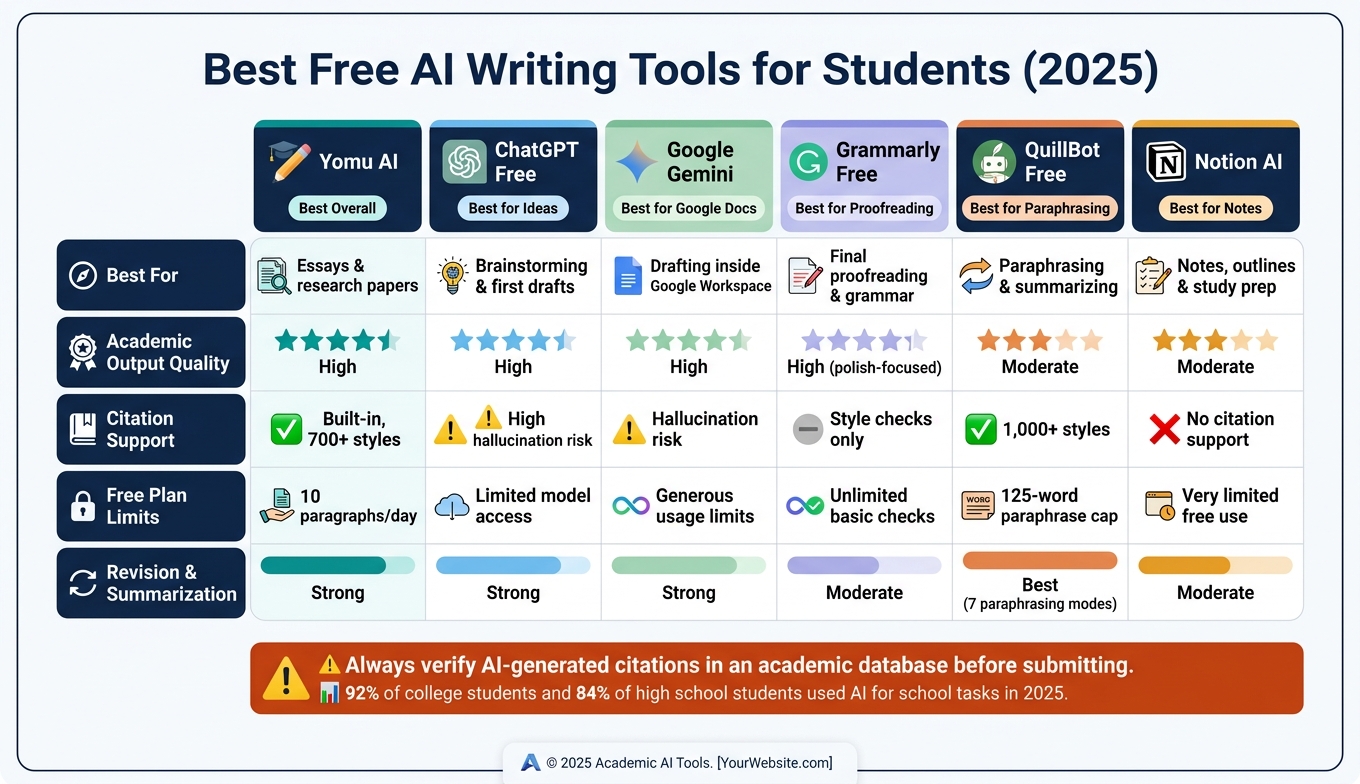
Best Free AI Writing Tools for Students 2025: Side-by-Side Comparison
3 (FREE) AI tools for academic writing that are better than ChatGPT
sbb-itb-1831901
Quick Comparison
| Tool | Best For | Main Issue | Best Pick? |
|---|---|---|---|
| Yomu AI | Essays, papers, citations | Free plan is limited | Best overall |
| ChatGPT Free | Brainstorming, outlines, first drafts | Citations may be made up | Best for ideas |
| Google Gemini | Google Docs drafting and editing | Source checking is still on you | Best in Google Workspace |
| Grammarly Free | Grammar, tone, last-pass edits | Does not build full drafts | Best for proofreading |
| QuillBot Free | Paraphrasing, short summaries | 125-word paraphrase cap | Best for paraphrasing |
| Notion AI | Notes, outlines, study use | Weak source support | Best for planning |
My takeaway: if you need one tool for school writing, start with Yomu AI. If you already have a draft, use Grammarly Free or QuillBot Free to clean it up. And if your assignment needs sources, check every citation yourself before turning anything in.
1. Yomu AI
Yomu AI is built for academic writing. It leans formal, stays organized, and fits essays and research papers well.
Academic Output Quality
The Document Assistant can take rough bullet points and turn them into full academic paragraphs. And AI Autocomplete suggests sentence endings that match the text around them, which helps you keep moving when a draft starts to stall.
Yomu also comes with editing commands that let you paraphrase, expand, shorten, or summarize text while keeping your original voice in place.
Free-Plan Value
The free plan gives you access to paraphrasing, grading, outlining, thesis, and citation tools, and you don't need a credit card to get started. That's a solid deal for students who want to test the tool before paying.
The Essay Grader reviews drafts for clarity, structure, evidence, grammar, and flow. Then it returns a 0–100 score along with a letter grade. Yomu also supports common file uploads up to 5 MB, so you can bring in drafts you already have instead of starting from scratch.
Citation Support
Yomu's Citation Generator supports more than 700 styles, including APA, MLA, and Chicago. It also lets students save sources to a personal library and reuse them across documents.
That makes it a good fit for research-heavy assignments, where clean citation formatting can save a lot of time.
Revision and Summarization
The paraphrasing tool can rewrite text while keeping in-text citations intact, which is handy for literature reviews and other research-based assignments. It can handle single-page rewrites in seconds.
For shorter sections, Expand Sentences adds more depth without changing the main idea. And because outlining, drafting, citing, and grading all live in one workflow, the whole writing process feels simpler.
That mix of drafting help, revision tools, and citation features is a big reason Yomu AI stands out for schoolwork.
2. ChatGPT Free
ChatGPT Free works best as a general-purpose thinking partner for brainstorming, outlining, and early drafts. That makes it handy at the start of the writing process, but less dependable once sources and citations start to matter.
Academic Output Quality
ChatGPT can help students test topic ideas, sharpen thesis statements, map out arguments, and explain hard concepts in plain language. It also produces polished, essay-style writing. But polished doesn't always mean correct. The wording may sound strong even when the facts are shaky.
Free-Plan Value
The free tier works well for brainstorming, study notes, and practice essays. Its chat-based setup also makes prompt refinement simple, so you can adjust your request step by step and steer the output in a better direction.
Citation Support
Never trust ChatGPT-generated citations without checking them in an academic database. It does not connect to a verified academic database, so some references may point to sources that don't exist at all. If an assignment calls for sources, check every citation before you move on to drafting.
Revision and Summarization
ChatGPT is useful for rewriting, simplifying dense ideas, and summarizing notes, but every output still needs heavy editing before submission. In practice, that keeps it in the drafting and cleanup lane, not the final-submission stage.
3. Google Gemini
Google Gemini works well for students who already spend a lot of time in Google Docs or Google Workspace. It can draft, revise, and summarize without making you leave the page. If you write inside Google Docs, that means your drafting and editing stay in one spot.
Academic Output Quality
Gemini is a solid pick for brainstorming essay topics, outlining arguments, drafting first versions, and improving the flow or tone of paragraphs you already wrote. It can also read images, diagrams, and graphs, which gives it an edge for students in STEM fields. In plain terms: it's better for first-pass writing than final polish.
Free-Plan Value
The free tier at gemini.google.com can handle a standard essay or a short batch of research notes in one session.
Citation Support
Citations are Gemini's weakest spot. It can produce references that look plausible but turn out to be wrong, so you need to verify every source before using it. Treat each generated citation as unverified until you check it in Google Scholar or Scopus.
Revision and Summarization
Inside Google Docs, Gemini can tighten transitions, simplify dense passages, and turn long notes into a cleaner summary. It's best used for drafting and cleanup after your notes are already in decent shape.
4. Grammarly Free
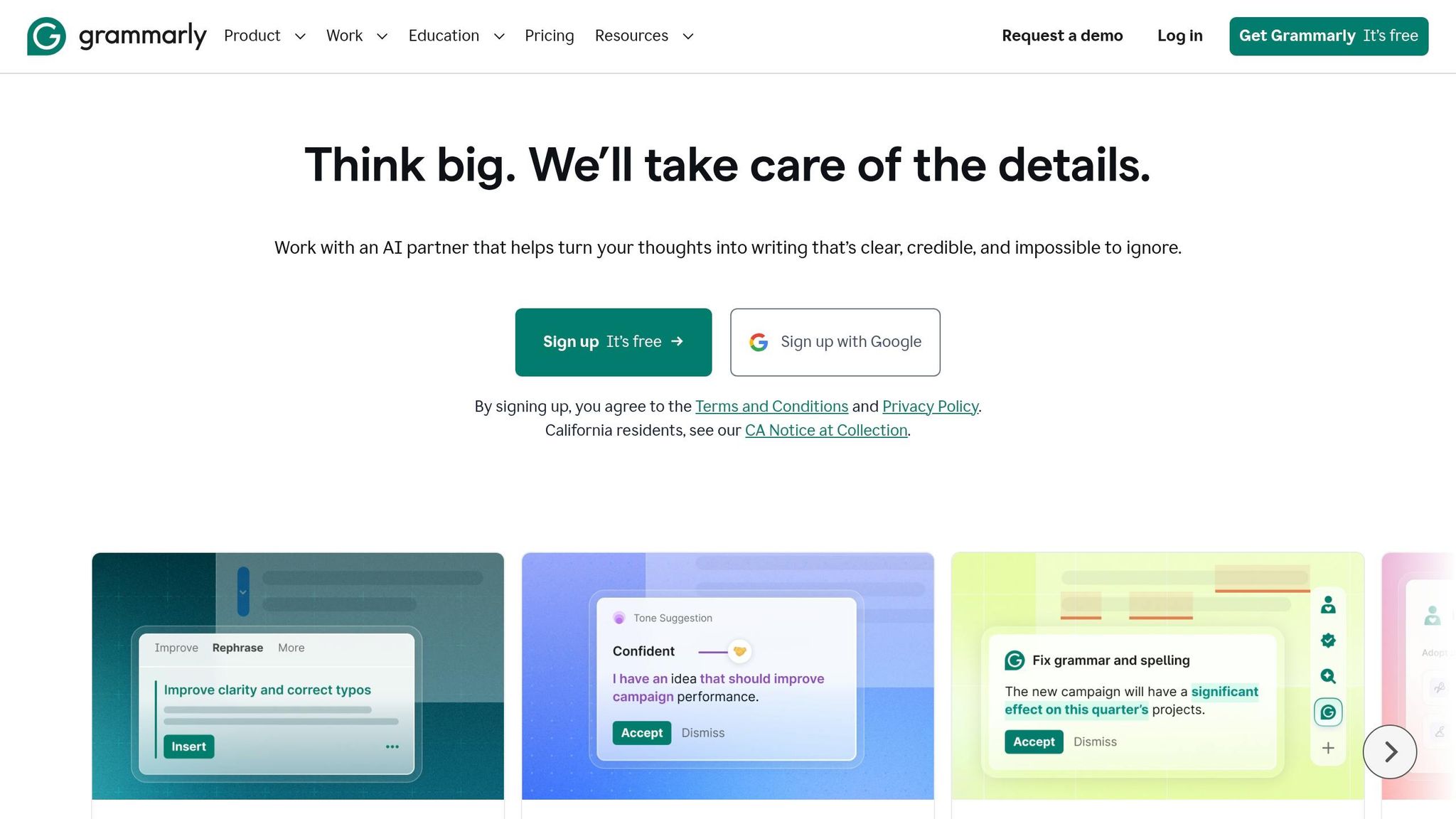
Grammarly is a proofreading tool. It cleans up text you’ve already written. So if you already have a draft, Grammarly works best as a final pass before you turn it in.
Academic Output Quality
Grammarly Free catches grammar mistakes, fixes punctuation, and points out unclear sentences. It also gives limited tone guidance, which can help you keep a formal academic voice in essays and research papers. That said, it mainly fixes surface-level issues. It won’t rebuild your argument or improve the structure of your paper.
Because Grammarly edits instead of drafting from scratch, it tends to fit stricter school rules more easily.
Free-Plan Value
The free plan covers grammar, spelling, punctuation, and limited tone alerts. For many students, that’s enough for a last proofread before submission. If you want plagiarism detection, deeper style suggestions, or citation help, those features are locked behind Premium, which costs about $12/month when billed annually.
One tip here: check before you pay. Many U.S. universities give students access to Grammarly Premium through campus licenses, so it’s worth looking through your student email first.
Revision and Proofreading
Grammarly Free is most useful at the end of the writing process. Run your finished draft through it to catch typos, awkward phrasing, and tone issues. It won’t summarize sources or help much with big-picture revision, but it does a solid job tightening sentences and smoothing rough transitions. If you need help with structure or argument development, the free version doesn’t go that far.
5. QuillBot Free
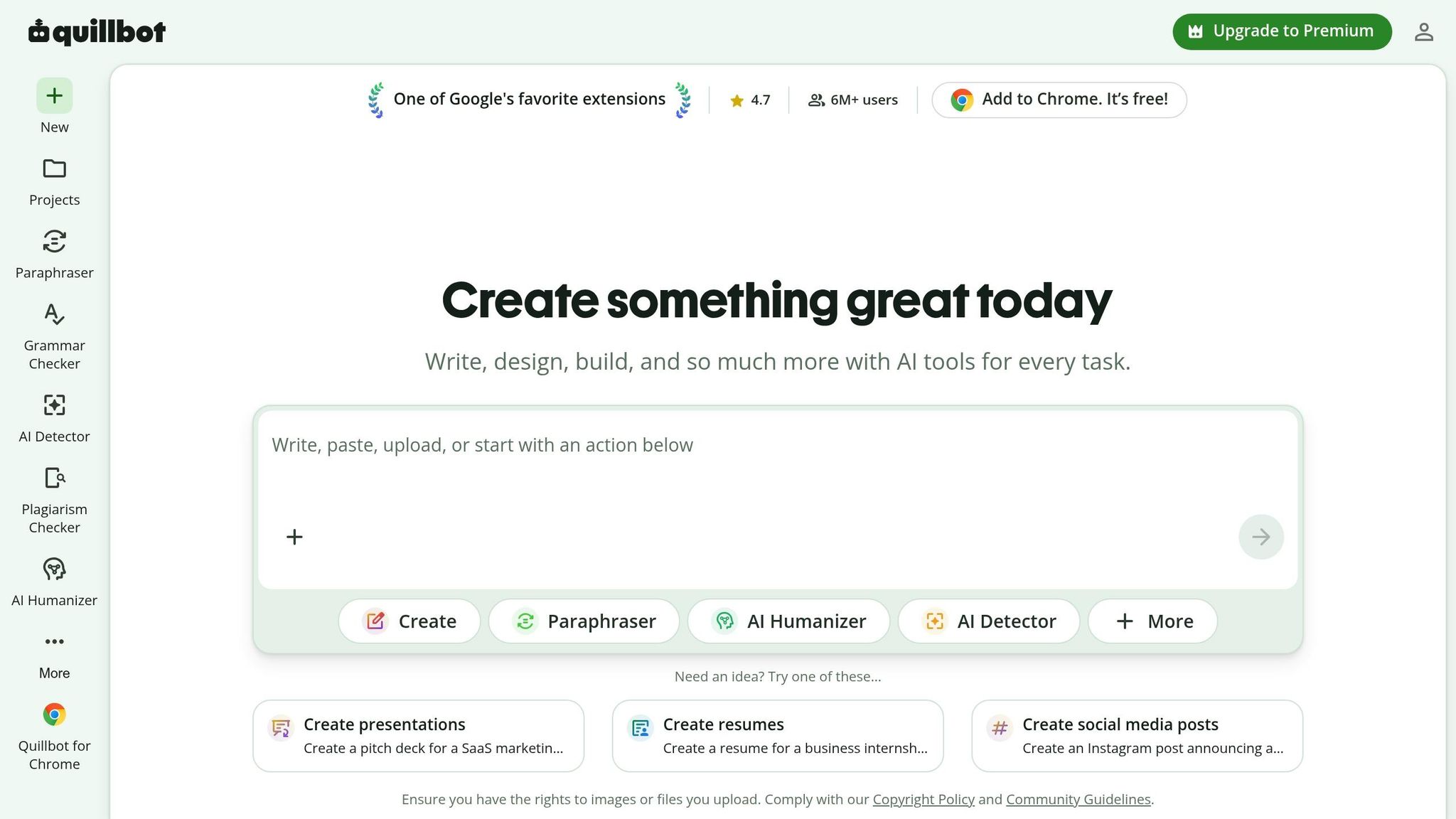
If your draft is already on the page but the wording still sounds a little off, QuillBot can help clean it up. QuillBot Free works best as a revision tool, not a first-draft tool. It’s better at polishing what you already wrote than writing from scratch.
Academic Output Quality
QuillBot Free does a good job with sentence and paragraph edits. It can reword a clunky thesis, smooth out an awkward paragraph, or tighten casual sentences without changing the core meaning. That matters in school writing, where you often need cleaner phrasing without losing your point.
One handy feature is the synonym slider. It lets you control how much QuillBot changes the wording, which is useful when you need to keep specific academic terms in place.
The biggest downside is the 125-word limit per run. So, this tool is best for a single paragraph or a short passage at a time. If you're working on a full essay or research paper, you'll need to go section by section.
Free-Plan Value
The free plan gives you a solid set of tools:
- Paraphrasing
- A basic grammar checker
- A summarizer
- A citation generator
The main trade-offs are pretty simple. You don’t get plagiarism checking, and paraphrasing is capped at 125 words per run. If you want plagiarism checks or unlimited paraphrasing, you’ll need Premium.
Citation Support
QuillBot’s citation generator is one of the better no-cost picks for students. It supports over 1,000 citation styles, including APA, MLA, and Chicago. That gives you a lot of room if your class uses a less common format.
It’s smart to use the citation tool early instead of waiting until the last minute. That way, your reference list stays organized while you write, not after the fact.
Revision and Summarization
QuillBot fits best in the middle or later part of the writing process, when you’re cleaning up paragraphs before turning work in. The summarizer is also useful for articles or class notes. Paste in a long excerpt, and it gives you a shorter version that can help with note-taking or checking whether you understood the material.
The summarizer has a 1,200-word limit, which covers most articles or study notes. It won’t take a full research paper or a whole book chapter in one shot, though. In practice, that means it’s most useful for turning rough paragraphs, reading notes, and shorter source material into cleaner schoolwork.
6. Notion AI
For students who keep notes and drafts in one place, Notion AI tends to shine during the planning stage. It’s best for outlines, bullet points, and rough drafts.
Academic Output Quality
Notion AI is strong for brainstorming and outlining. Its output is usually clear and organized, but it often reads like a working draft instead of a polished paper.
Free-Plan Value
The free plan handles short prompts, brainstorming, and light grammar fixes for short passages. That said, it can feel pretty limited if you’re using it often across several assignments.
Revision and Summarization
This is where Notion AI can be handy. When lecture notes are messy or a paragraph feels clunky, it can clean up the wording or turn longer notes into a shorter summary. That makes it useful for study prep, especially when you want to trim things down without moving to another tool.
Citation Support
Notion AI is weak on citations. It does not verify sources against academic databases, which creates a real risk of generating citations that look correct but don't actually exist. For source-based work, use a dedicated citation tool alongside it.
How These Free AI Text Generators Stack Up for Schoolwork
Using the same criteria from earlier, the table below shows which tools make the most sense for drafting, revising, and citation-heavy schoolwork. For essays, research papers, study notes, and revisions, the gaps between them stand out pretty fast.
The biggest divide is simple: drafting tools vs. editing tools.
ChatGPT and Google Gemini are strong when you need help brainstorming or getting a first draft on the page. That said, both come with a real downside: they can make up references. Citation hallucination is the biggest risk in AI writing tools. If you're working on anything academic, that's a big deal.
Grammarly and QuillBot work a bit differently. They edit text you already wrote, which cuts down the citation risk. That makes Grammarly the safest pick for a final pass. Yomu brings drafting, editing, and citations into one flow, which is useful if you want fewer moving parts. Notion AI works best for outlines and cleaning up notes, but it doesn't support citations.
The rankings below use the same standards as the rest of the article: output quality, free-plan value, citation support, and revision strength.
| Tool | Academic Output Quality | Free-Plan Value | Citation Support | Revision & Summarization |
|---|---|---|---|---|
| Yomu AI | High; academic drafting | Limited; 10 paragraphs/day | Built-in; 700+ styles | Strong; expand/shorten commands |
| ChatGPT Free | High; strong for brainstorming | Moderate; limited model access | Poor; high hallucination risk | Strong; general summaries |
| Google Gemini | High; good for refining drafts | Moderate; generous usage limits | Poor; hallucination risk | Strong; integrated into Google Docs |
| Grammarly Free | High; focused on polish | High; unlimited basic checks | Basic; style checks only | Moderate; clarity and tone |
| QuillBot Free | Moderate; best for rephrasing | Moderate; 125-word paraphrase limit | High; 1,000+ styles | Best; 7 paraphrasing modes |
| Notion AI | Moderate; broad writing help | Very limited free use | No citation support | Moderate; in-line editing |
One trend shows up across the board: tools built for drafting give you more text, but they also bring more risk. Tools built for editing usually give you less output, yet the results are cleaner and safer. The pros and cons next spell out where those tradeoffs matter most.
Pros and Cons of Each Tool
Each tool does one job well, and each one has a weak spot. In schoolwork, that matters more than hype. The table below shows where each tool helps most and where it can fall short.
| Tool | Pros | Cons | Best-Fit Use Case |
|---|---|---|---|
| Yomu AI | Built for academic writing; sentence and paragraph autocomplete; citation formatting | Free tier is limited to 10 paragraphs per day; drafts can feel generic without editing | Essays and research papers |
| ChatGPT Free | Strong for brainstorming and outlines; natural-sounding prose | Can fabricate citations, so source checking is essential | Brainstorming and first drafts |
| Google Gemini | Drafts and revises inside Google Docs | Can produce fact errors and unverified citations | Drafting inside Google Workspace |
| Grammarly Free | Edits existing text only; basic grammar checks | Won't draft arguments or full sections | Proofreading and final polish |
| QuillBot Free | Strong for paraphrasing and summarizing existing text | 125-word limit per paraphrase; rewrites can sound stiff | Rewording and summarizing |
| Notion AI | Useful for notes and outlines | Very limited free usage; not built for academic research | Study notes and outlines |
The pattern here is pretty simple: one tool helps you get words on the page, and another helps you clean them up. That’s why many students draft in one place, then switch tools for revision based on the assignment.
Conclusion
When you stack up drafting quality, free-plan value, and citation help, Yomu AI comes out ahead for student writing. It’s the best all-around pick for students who write essays and research papers on a regular basis, bringing drafting, paraphrasing, summarizing, and citation formatting into one place.
The other tools are better for more specific jobs. ChatGPT Free is best for brainstorming. QuillBot Free works well for paraphrasing. Grammarly Free is the go-to for final proofreading. Google Gemini is handy for notes and summaries.
One rule matters no matter which tool you use: never trust AI-generated citations without checking them in a real database.
And one more thing: AI rules depend on the instructor. Check your syllabus before you use any tool, and disclose your use when that’s required.
FAQs
How should I verify AI-generated citations?
Always check every citation by hand against reliable primary sources. AI can spit out references that look legitimate but aren’t real, so never treat a generated bibliography as ready to use.
Before you submit anything, verify that the author names, publication dates, and formatting match the style guide you’re using, whether that’s APA 7th edition, MLA, or Chicago.
Which free AI tool is safest for final edits?
For the safest final edits, stick with tools built for grammar, clarity, and citation checks instead of full-text generation. Grammarly is often mentioned as a good pick because it helps clean up grammar and style without writing new content for you.
For academic safety, treat AI output as a rough draft. Check facts by hand, confirm every citation, and use built-in tools like Yomu AI’s plagiarism scanner to review originality before you submit anything.
Can I use AI for school without breaking class rules?
Yes - if you use it in a way that follows your class and school policies. Rules change by school, course, and instructor, so check your syllabus first.
Use AI to support your work, not do the work for you. It can help you brainstorm, build an outline, and tighten your draft. But you still need to check facts and citations, write in your own voice, and disclose AI help when your instructor asks for it.